Documentation
Create and manage presets
Save, combine and back up reusable style steps.
Presets
Presets store multiple style steps with their options, filters and order. Name, reorder, edit or temporarily disable steps. Order matters: page settings and normalisation commonly come first, then template elements and finally specific font, colour and number rules.
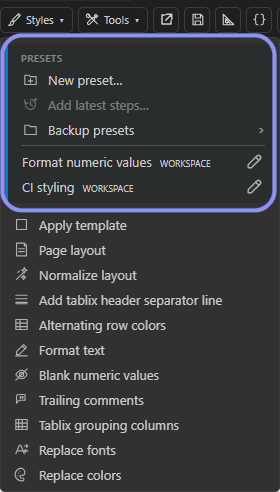
Presets can be stored for a user, a workspace or, where available, on the server. Workspace presets suit project-specific rules; user presets are available across workspaces. Shared company presets help teams use consistent guidelines.
Choose New preset…, enter a name and select the storage scope. Add and configure the steps, choose their order and analyse the complete preset on a representative report. Add latest steps… reuses recently applied operations; check whether report-specific control names should be replaced by more general filters.
Backup presets > Export… saves a versioned JSON file. Import… asks for a target scope and reports conflicts before overwriting. Version project-wide presets alongside your source.